Archify vs. SeeCode - two diagram skills for Claude Code compared
In many meetings with customers I use diagrams to make complicated architectures or processes easy to grasp. The technical knowledge or the overview is often missing there, and a picture is worth a thousand words.
Since September the open-source skill Archify has been drawing these diagrams for me:
Claude writes a JSON spec, a Node script renders an HTML file with the diagram from it.
Archify is cool, but it only knows five diagram types.
Since the beginning of October there is SeeCode, a skill built on the same principle that promises 45 diagram types.

The two skills in numbers
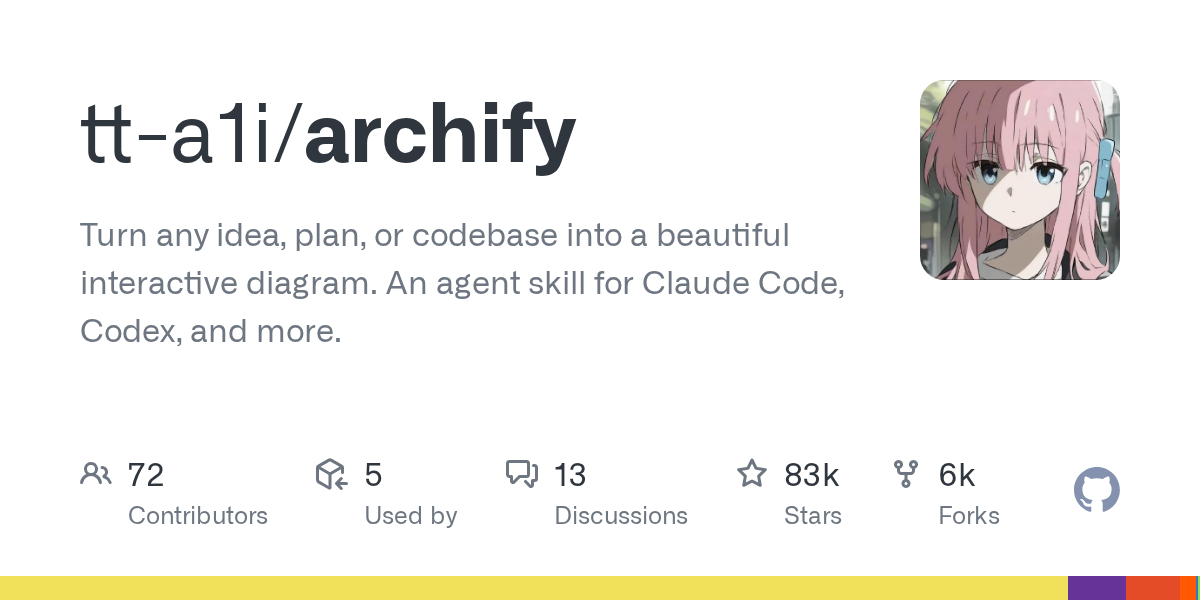
| Archify | SeeCode | |
|---|---|---|
| Version tested | 3.0.1 | 0.6.1 |
| Repository created | April 15, 2026 | October 2, 2026 |
| Stars | 82,509 | 402 |
| Forks | 5,566 | 20 |
| Diagram types | 5 | 45 |
| Layout | position and size per box | row and column, the renderer computes the rest |
| Runtime dependencies | none | none |
| License | MIT | MIT |
The numbers from GitHub are from October 12, 2026.
The same diagram, built twice
The diagram is based on Turbo-MOD, my mod for Claude Code:
ten boxes, nine connections, one group.
Claude wrote both specs, each following the instructions of the skill and without rework.
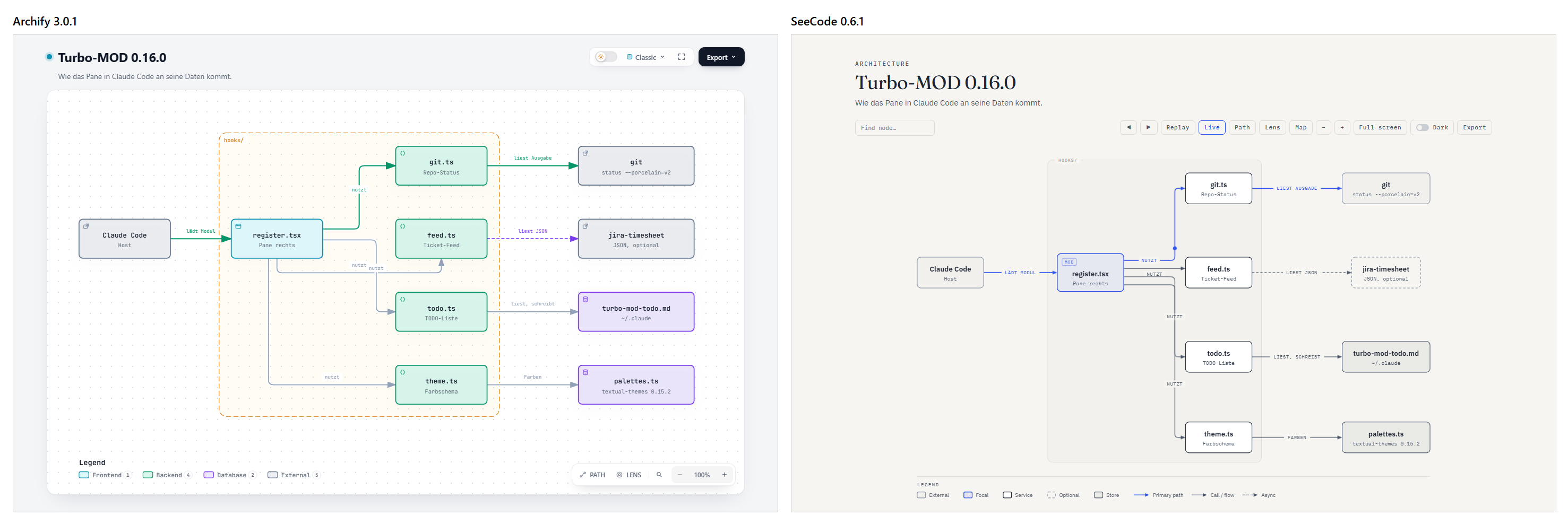
The difference is in the spec.
SeeCode wants a row and a column per box:
{ "id": "git", "label": "git.ts", "sub": "Repo-Status", "row": 0, "col": 2, "group": "mod" }Archify wants coordinates and a size:
{ "id": "git", "type": "backend", "label": "git.ts", "sublabel": "Repo-Status", "pos": [560, 80], "size": [150, 64] }| Archify | SeeCode | |
|---|---|---|
| Spec | 2,487 characters | 1,670 characters |
| HTML file | 761 KB | 188 KB |
| First run | passes standard, fails showcase |
rendered, one warning |
| References to other servers | none | Google Fonts |
With Archify, Claude has to define the layout itself.
In the test the connection to feed.ts runs underneath the box and arrives from below.
SeeCode bundles the connections from register.tsx to todo.ts and theme.ts.
Archify checks more strictly in return.
The finalize command runs through four stages: validate, deliver, check and browser-check, the last one in a real browser.
At the quality level showcase the test spec failed because a label comes too close to another connection.
SeeCode reported ten boxes against a recommended budget of nine.
Pros and cons
Archify
- Pro: HTML file without third-party requests, four check stages up to the browser check, more than 70 contributors.
- Con: only architecture, workflow, sequence, data flow and lifecycle. Claude has to define the layout itself, and the HTML file is four times as large.
SeeCode
- Pro: 45 types, automatic layout, shorter spec, import from Mermaid, PlantUML, D2, Graphviz, draw.io and Excalidraw.
- Con: ten days old and version 0.6, Google Fonts in every file, watermark by default (can be turned off with
"watermark": false).
Which diagrams Archify is missing
Swimlane, timeline, Gantt, ER diagram, database schema, class diagram, org chart and any kind of chart do not exist in Archify as a type of their own.
For my work these are important diagrams.
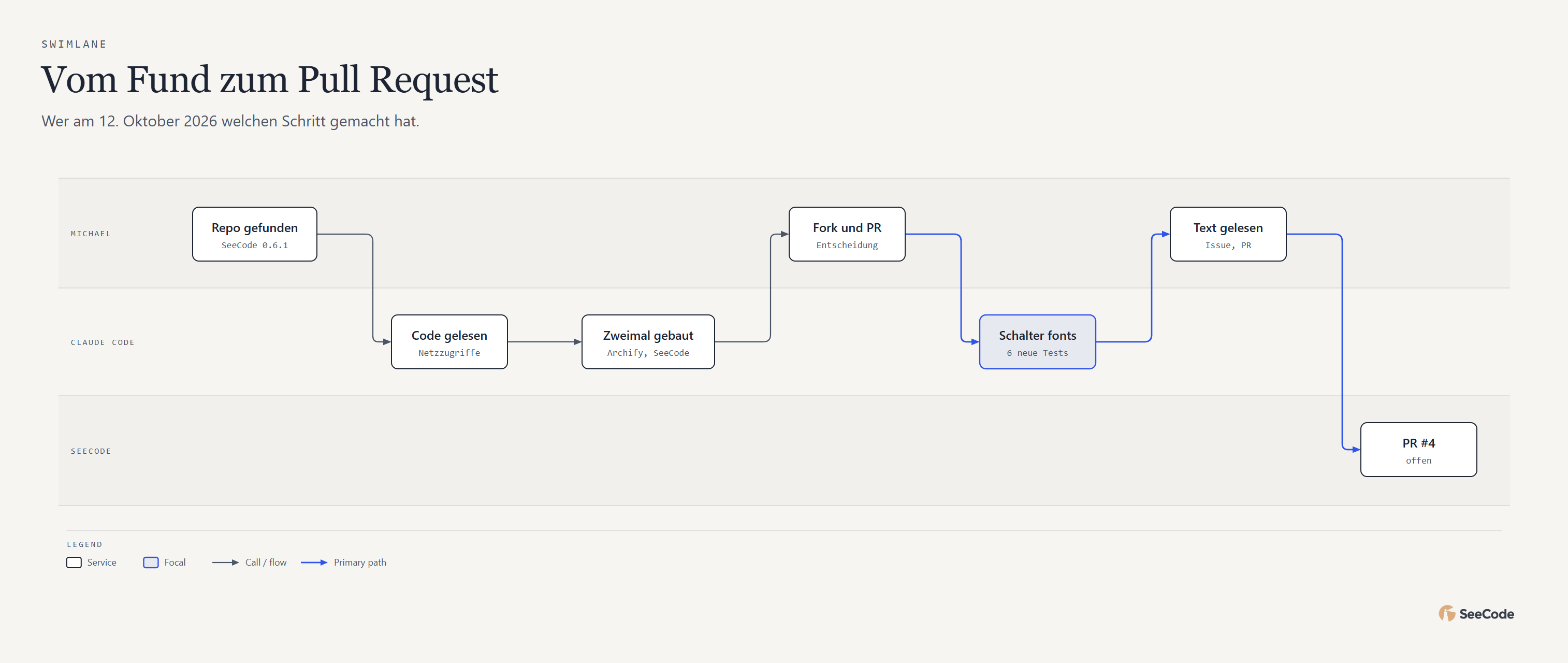
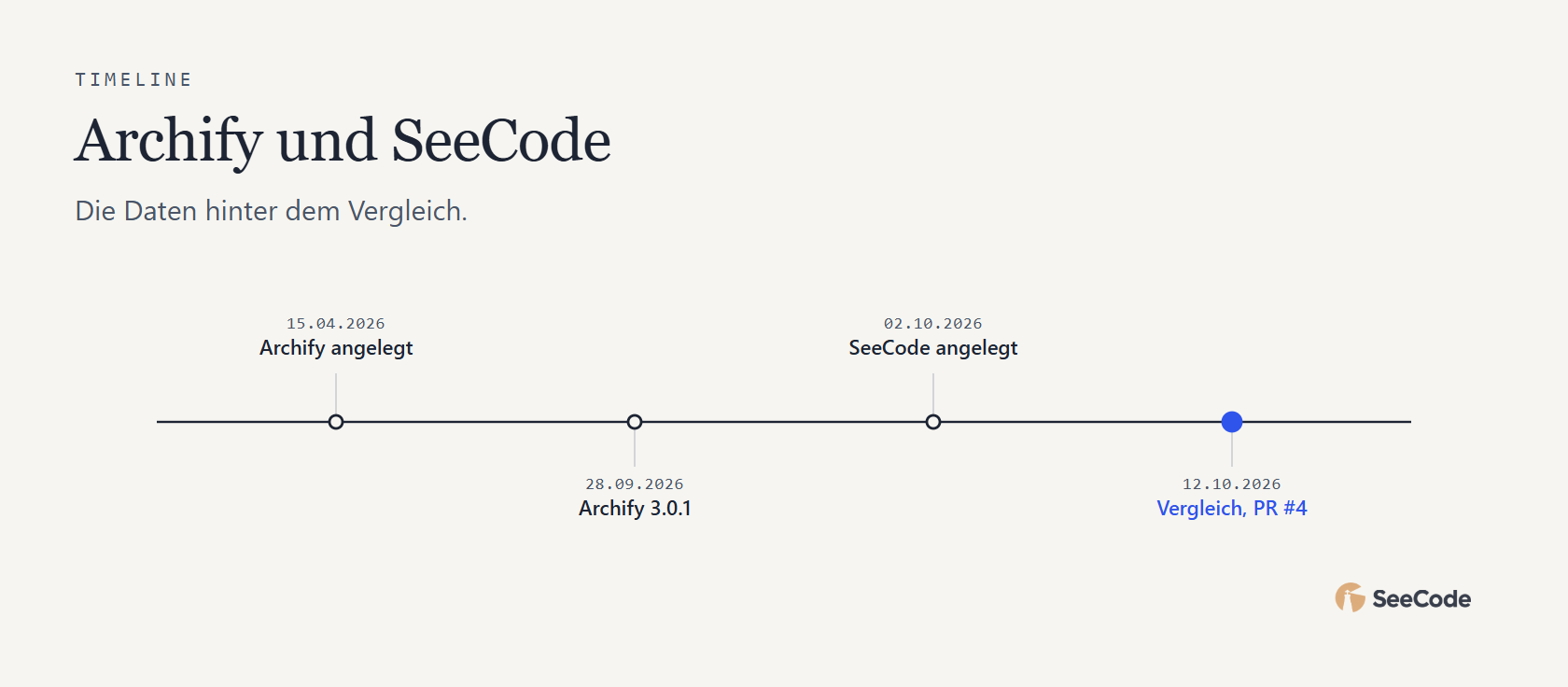
The following two images come from SeeCode.
The first one shows how this comparison went.
The catch with Google Fonts
Every HTML file from SeeCode embeds the typefaces Fraunces and IBM Plex from Google Fonts.
Whoever opens the diagram sends their IP address to Google - for me, with the GDPR in mind, an absolute no-go!
When exporting to SVG, the characters that occur in the diagram go to Google as well, so that only those glyphs come back.
The export menu in the page loads the encoders for GIF and MP4 from jsDelivr on click.
None of this is hidden!
SeeCode lists all requests in its PRIVACY.md, and the list matches the source code.
For a diagram in customer documentation the embedding is still a knockout criterion.
But beware: Archify phones home too.
On delivery, finalize checks whether there is a new version of the skill.
That can be turned off with ARCHIFY_UPDATE_CHECK_DISABLED=1.
A brand logo with a URL in the spec fetches the given site, the built-in logos load nothing.
My issue and the pull request
Without a working internet connection the HTML page from SeeCode already falls back to system fonts today, and the layout stayed unchanged in the test.
All that was missing was a switch that leaves the embedding out from the start.
That switch now exists as issue #3 and pull request #4.
The setting is called fonts and knows google (default, behaviour unchanged) and system:
node scripts/seecode.mjs config set fonts systemThe same works per diagram with "fonts": "system" in the spec.
After that the HTML file contains no href and no src that points to another server.
The SVG export no longer contacts Google.
The change covers twelve files, six new tests cover the switch.
Update from October 17, 2026: The developer Aryan Utkarsh merged the pull request.
The switch is part of SeeCode since version 0.6.2, no fork needed anymore.
Many thanks for that!
How I use the two now
Archify stays in the lead for me, simply because it has been running reliably since September and the customers are thrilled.
SeeCode comes in where Archify lacks the diagram type.
The choice is made by my own diagram skill, as a facade for Archify and SeeCode.
It names the diagram type first and takes Archify when one of the five types fits.
Both tools sit in the skill as a reviewed copy, so that the same version runs on every machine.
Three rules apply to every diagram:
- Archify runs without the update check.
- Every SeeCode spec carries
"fonts": "system". - At the end a script searches the HTML file for references to other servers. If it finds one, the file is not handed over.
What I learned from it
Before the first run both skills were analysed: the entry point, every network access and every process call.
In Archify the update check was only in the skill instructions in September, in version 3.0.1 the script runs it itself.
So network access can be added between two versions, and an update gets read again beforehand.
I built the missing switch with Claude and offered it to the author as a pull request. Five days later it was in SeeCode.
Sources (checked on October 12, 2026): Archify · SeeCode · SeeCode PRIVACY.md · Issue #3 · Pull request #4 · Turbo-MOD

Planning a similar project?
I support you from consulting and planning through implementation to quality assurance.