Ratatui, Textual and Terminal.Gui compared
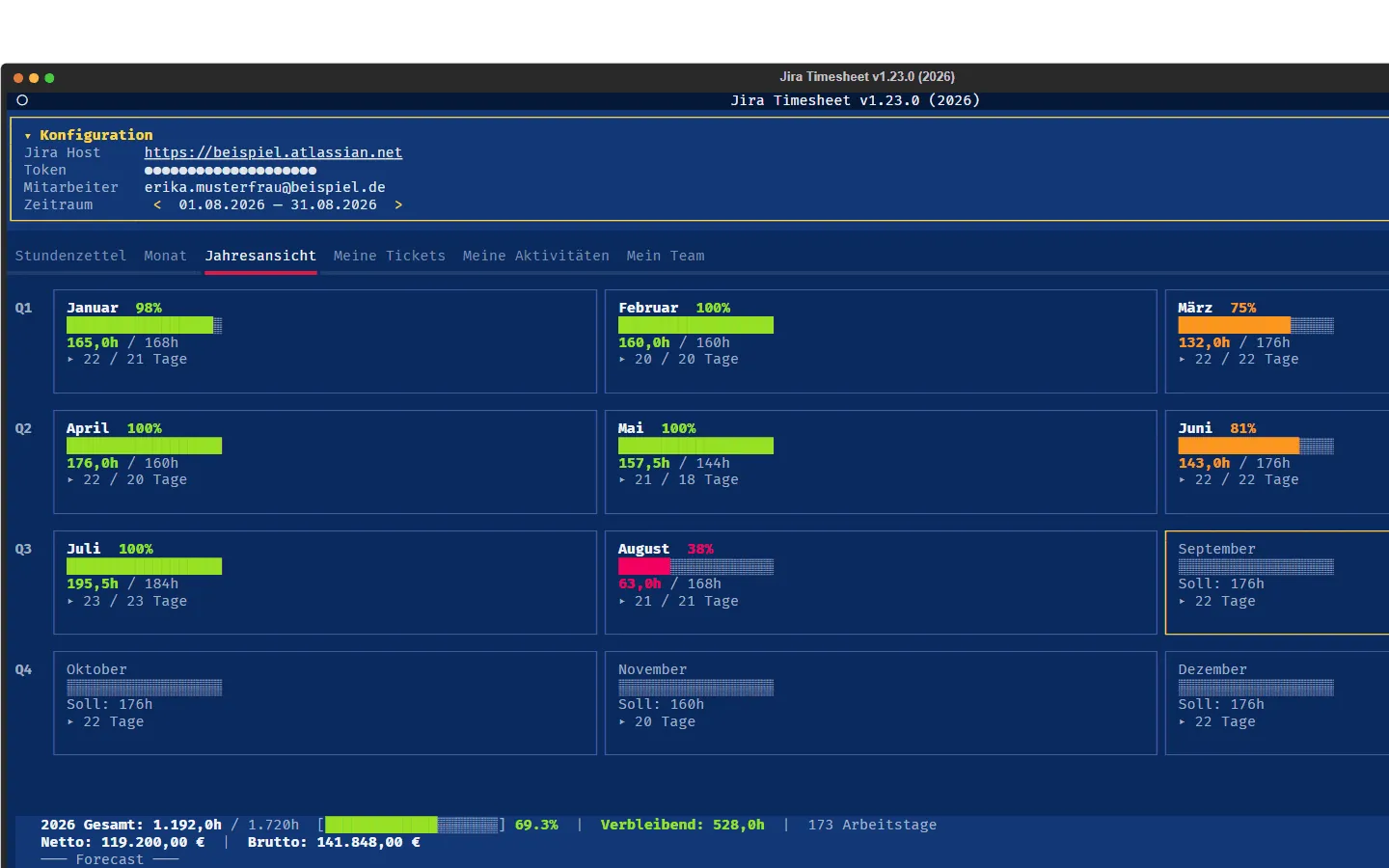
I build my terminal applications (TUIs, short for text user interface) with Textual, a framework for Python.
That is how retro-amp, jira-timesheet, sitemap-tracker, console-error-scanner and christophorus came about.
On top of that there are two extensions of my own:
textual-widgets with building blocks such as a context menu, a date picker and a log window, and textual-themes with 41 themes.
My assumption so far was: Textual is the best framework for TUIs and is probably unique.
But an assumption is not a finding!
So here is the real comparison with two libraries that count among the best frameworks for building console applications in their languages:
Ratatui for Rust and Terminal.Gui for C#.
As a passionate C# developer I found Terminal.Gui especially interesting, since it comes from none other than Miguel de Icaza, the father of Xamarin.
Ratatui was created in 2023 as a fork of the older library tui-rs. Terminal.Gui is the oldest of the three repositories and has been on GitHub since December 2017. Textual lives on GitHub under Textualize, the same organization that also hosts Rich, a Python library for formatted output in the terminal.
The numbers from GitHub
| Ratatui | Textual | Terminal.Gui | |
|---|---|---|---|
| Language | Rust | Python | C# |
| Repository created | Feb 12, 2023 | Apr 8, 2021 | Dec 11, 2017 |
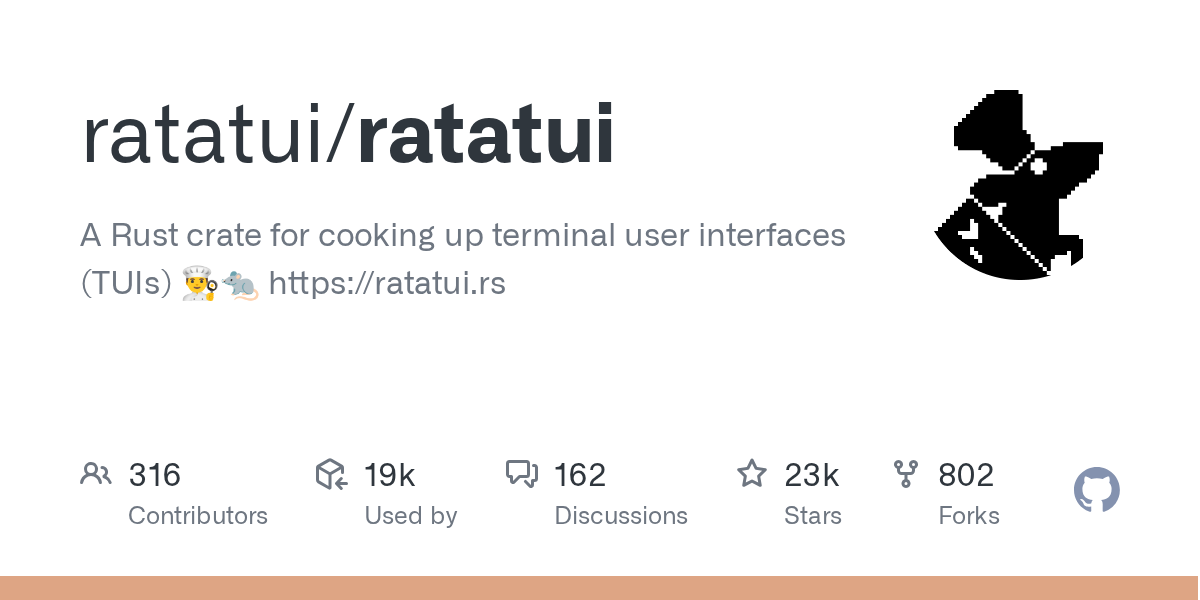
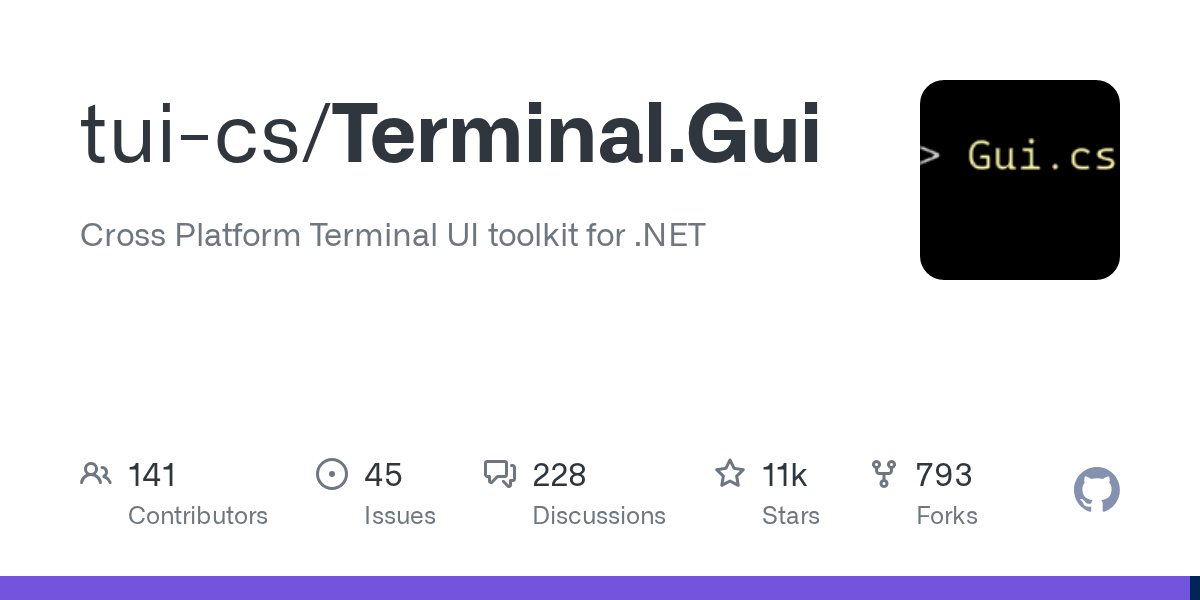
| Stars | 22,942 | 37,430 | 11,258 |
| Forks | 802 | 1,355 | 793 |
| Open issues | 140 | 245 | 44 |
| Open pull requests | 57 | 118 | 8 |
| Contributors | 292 | 185 | 134 |
| Last push | Oct 10, 2026 | Oct 9, 2026 | Oct 9, 2026 |
| Latest version | 0.30.2 from Jun 19, 2026 | 8.2.8 from Jun 30, 2026 | 2.5.0 from Sep 11, 2026 |
| License | MIT | MIT | MIT |
All values were retrieved on October 11, 2026 through the GitHub API, the times are in UTC. “Contributors” is the number GitHub reports for the repository, without anonymous contributions. The Terminal.Gui repository used to live under gui-cs and now lives under tui-cs, the old address redirects.

Every package registry counts downloads differently, so the values cannot be put side by side:
- Ratatui on crates.io: 58.8 million since it started, 21.3 million of them in the last 90 days.
- Textual on PyPI: 55.3 million in the last 30 days according to pypistats.org. The monthly values from April to September 2026 vary between 55 and 445 million there. The cause was not investigated, so the value is no measure for the number of developers.
- Terminal.Gui on NuGet: 2.14 million since it started. The API does not provide a value for the last few weeks.
The same application implemented three times
To make the effort comparable, the same small application exists in all three frameworks:
a track list with three entries, selection with the arrow keys, a footer with the hint “q Beenden” (German for quit), quitting with q in upper and lower case, and tests that run without a real terminal.
All three versions were created with Claude Code.
With Terminal.Gui the first question was which version to use. It was built with 2.5.0, because that is the current stable release. According to the project, version 2 is a complete rewrite, the first stable 2.0.0 was released on April 28, 2026.
| Ratatui 0.30.2 | Textual 8.2.8 | Terminal.Gui 2.5.0 | |
|---|---|---|---|
| Lines of the application | 50 | 16 | 37 |
| Lines of the tests | 31 | 20 | 37 |
| Direct dependencies | 1 | 1 | 1 |
| All packages, including the library | 63 | 9 | 24 |
| Additionally for the tests | nothing | pytest and pytest-asyncio | 4 packages from the xUnit template |
| Tests | 2 passed | 3 passed | 3 passed |
Lines were counted without blank lines. The measurements were taken on October 11, 2026 on Windows 11 with Rust 1.99, Python 3.12 and the .NET SDK 10. For Ratatui the 63 packages are the ones a release build compiles on Windows.
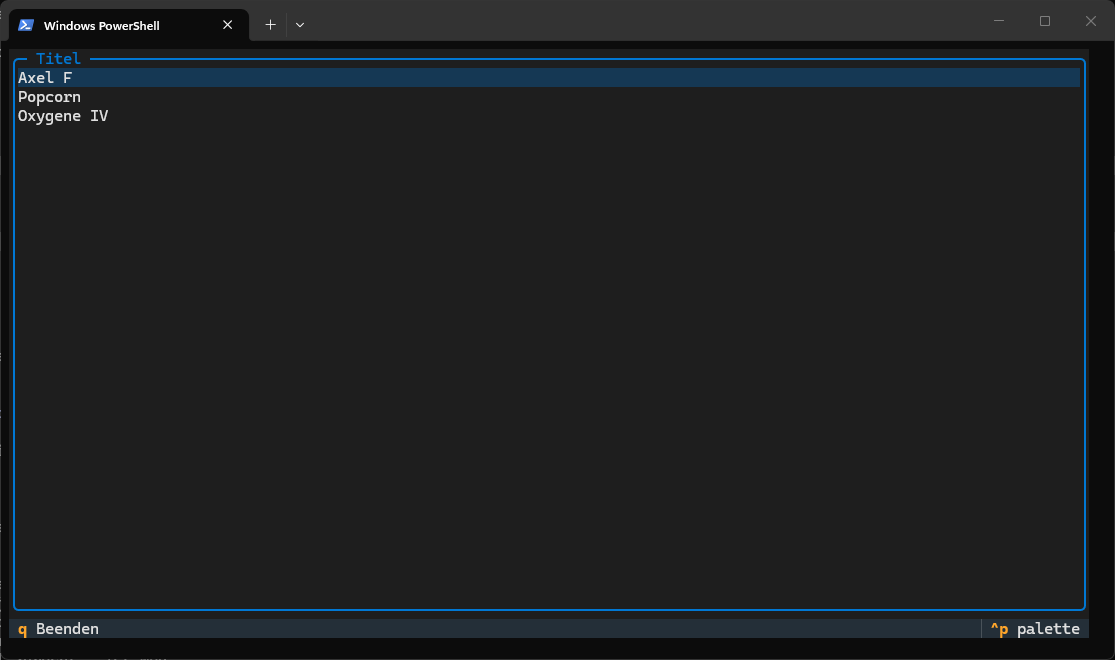
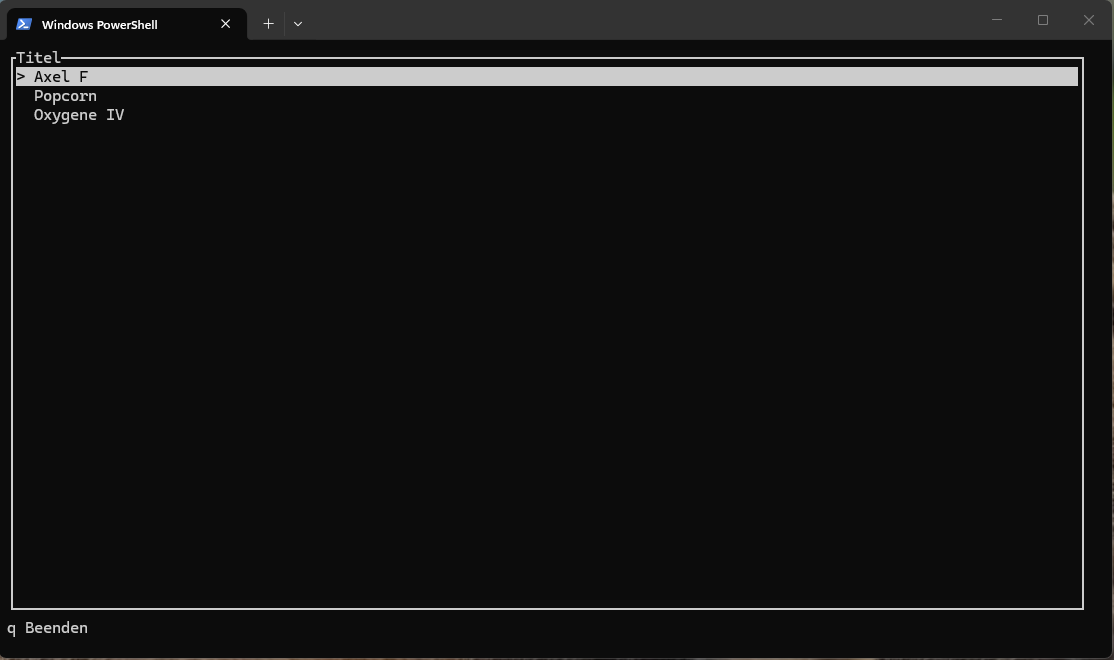
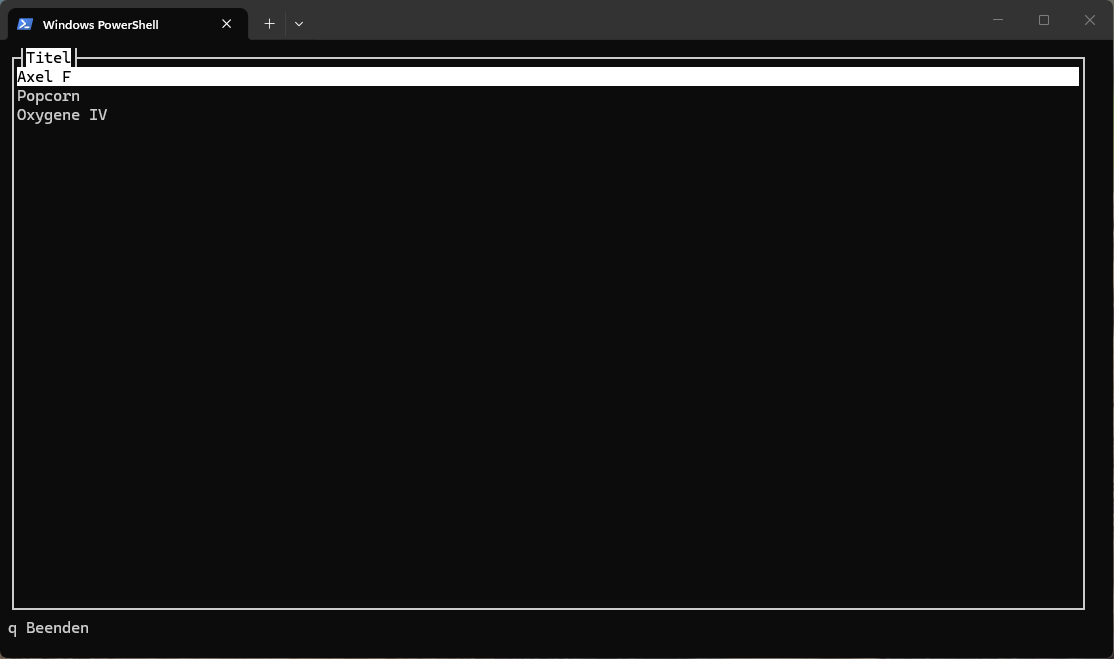
Textual: the least code
The Textual version is the shortest. The list, the footer and the key bindings are ready-made building blocks, the border around the list is one line of CSS:
class TrackList(App[None]):
    CSS = "ListView { border: round $primary; }"
    BINDINGS = [
        Binding("q,Q", "quit", "Beenden", key_display="q"),
    ]

    def compose(self) -> ComposeResult:
        yield ListView(*(ListItem(Label(track)) for track in TRACKS))
        yield Footer()
Textual builds the footer from the key bindings by itself.
The test starts the application through run_test() without a terminal and presses keys through an object called Pilot.
What gets checked is the state of the widgets, that is, which entry is highlighted.
For comparing whole screens the documentation describes snapshot tests with a separate plugin, that was not tried here.
One peculiarity I know from my own applications:
Key bindings are case-sensitive.
If you only bind q, you cannot quit with caps lock turned on.
That is why it says q,Q above.
Ratatui: you have to implement the input handling yourself
Ratatui is a library and not a framework.
The documentation says so in one sentence: “Ratatui does not include any input handling”.
The application therefore consists of three parts that you write yourself:
the state, a function for drawing and a loop that waits for keys.
fn run(terminal: &mut DefaultTerminal) -> io::Result<()> {
    let mut app = App::new();
    while !app.quit {
        terminal.draw(|frame| app.draw(frame))?;
        if let Event::Key(key) = event::read()?
            && key.kind == KeyEventKind::Press
        {
            app.on_key(key.code);
        }
    }
    Ok(())
}
That is more lines, but nothing is hidden.
The test draws into a TestBackend and then reads the characters from the buffer.
It does not need an additional package.
The finished program is a single file of 433 kilobytes.
Terminal.Gui: many ready-made controls, but two stumbling blocks
Terminal.Gui works like a classic toolkit for desktop interfaces.
There are windows, controls with properties, and events.
The position is described relatively, for example Height = Dim.Fill (1) for “everything except one line”.
List = new ()
{
    Title = "Titel",
    BorderStyle = LineStyle.Single,
    Width = Dim.Fill (),
    Height = Dim.Fill (1),
    Source = new ListWrapper<string> (tracks),
    Value = 0,
    KeystrokeNavigator = null
};
For tests the library ships its own driver, the injection of keys and mouse clicks, and a virtual clock. The screen can be read as text, the test here uses that to check the list and the footer.
Two things did not work on the first attempt:
- The tests did not compile at first. The examples in the documentation show
InjectKeyandVirtualTimeProvider, but not the two namespaces they live in (Terminal.Gui.TestingandTerminal.Gui.Time). - The q key did not arrive. The list has a built-in type-ahead search, and that consumed the letter. Only with
KeystrokeNavigator = nulldid the key reach the window.
Capabilities at a glance
| Ratatui | Textual | Terminal.Gui | |
|---|---|---|---|
| Design | Library, you write the loop and the input yourself | Framework with its own loop, widget tree and messages | Framework with a hierarchy of views, commands and events |
| Included widgets | 17 | 42 | 71 |
| Layout | Constraints in code | CSS: vertical, horizontal, grid, docking | Pos and Dim in code, relative to other views |
| Styling | Style objects in code | its own CSS with selectors | Schemes and themes through configuration |
| Included themes | not checked | 21 | 6 |
| Mouse | through the terminal library crossterm, not through Ratatui | yes | yes |
| Asynchronous tasks | no solution of its own, there is a template with async | Worker API | async and Invoke, UI only on the main thread |
| Command palette (search box for all commands) | none found | built in, Ctrl+P | none found |
| Tests without a terminal | TestBackend |
run_test() and Pilot, snapshot tests |
its own driver, injected input, virtual clock |
| Running in the browser | Ratzilla, separate project | textual-serve, separate project | nothing found |
The information comes from the documentation and the source code of the three projects, as of October 11, 2026. “None found” means: a search in the file tree of the repository returned no hits. Of all this, only the list, the key bindings and the tests were actually tried.
Three notes on the widgets, because the numbers come about in different ways:
- Ratatui: The 17 are in the list of the package ratatui-widgets. Two of them are the logo and the mascot of the project. An input field, a button or a select box are not among them, there are third-party packages for that.
- Textual: The module
textual.widgetsexports 42 classes in version 8.2.8, including helper classes such asTabandListItem. The documentation has 37 pages on widgets. - Terminal.Gui: The overview of views has 71 entries, including generic variants and base classes. The project itself speaks of more than 50. That includes things Textual does not ship, such as file dialogs, a multi-step wizard, a hex view and a menu bar.
So when it comes to the number of ready-made controls, Terminal.Gui is ahead and not Textual.
What makes Textual special?
Among these three, only Textual has:
- CSS. Appearance and layout are written in a separate language with selectors, apart from the program code.
- Its own API for asynchronous tasks. Workers have existed since version 0.18.0.
- A built-in command palette. That is a search box that opens with Ctrl+P and offers all commands of the application, like in Visual Studio Code.
- Running unchanged in the browser. With textual-serve a server starts the application as a subprocess and connects it to the browser through a websocket.
But there are some features where the other frameworks are just as good:
- Terminal.Gui has a tree of controls with events too.
There they are called views, with commands, key bindings and events. - All three can test without a terminal.
With Terminal.Gui a test can also simulate mouse clicks, and the test advances the clock itself instead of waiting for a timer. - Ratatui gets into the browser as well.
Ratzilla compiles an application to WebAssembly. The example in the README uses its own backend and its own draw call for that. Whether an existing application can be taken over without changes was not tried.
Ratzilla on GitHub, as of October 11, 2026.
In addition, Rust and .NET have further libraries that go in the same direction:
- r3bl_tui for Rust mentions flexbox layout and CSS-like styling in its README (485 stars).
- textual-rs is an explicit rebuild of Textual in Rust, with CSS, messages and workers. The repository has 3 stars, the last push was in April 2026.
- tui-realm puts reusable components modeled on React and Elm on top of Ratatui (1,003 stars).
- Cursive is the second larger library for Rust (4,856 stars). The latest version on crates.io is from August 2024.
- Consolonia for .NET brings Avalonia, a toolkit for desktop interfaces, into the terminal. The README mentions styles, data binding and templates, the project calls itself a beta (837 stars).
Outside of Python, Rust and .NET there are two projects with more stars than Textual:
Bubble Tea for Go with 45,435 and Ink for JavaScript with 40,090.
Neither was examined here.
Where I stand so far:
I was honestly surprised that Terminal.Gui is this mature.
From Ratatui, on the other hand, I had hoped for more.
What is special about Textual, for me, is not a single feature.
CSS exists elsewhere too, and so does a tree of controls.
What I did not find in Rust and .NET is everything together in one package:
CSS, workers, a command palette and running in the browser.
Support from AI models
How well a model can handle a framework can only be measured to a limited extent.
Three things can be backed up:
what the projects provide for models, how actively they are maintained, and what happened during the build of the three versions.
What the projects provide
A file llms.txt is a short guide for language models.
On the websites of the three documentations it did not exist on October 11, 2026, all three addresses answered with 404.
In the repositories things look different:
- Terminal.Gui has an
llms.txtwith 405 lines, a fileai-v2-primer.md, plusAGENTS.md,CLAUDE.mdand rule files for further tools. A separate folder contains a guide for building applications and a collection of patterns. - Textual has an
AI_POLICY.md. It defines under which conditions the project accepts pull requests that come from an AI. That is not a guide for models. - Ratatui has instructions for code review by GitHub Copilot. That too is aimed at contributions to the project and not at someone building an application.
The reason for the effort at Terminal.Gui is stated in the file itself.
Version 2 has a different API than version 1, and the versions of the 1.x line were released from April 2021 to June 2025.
The llms.txt therefore starts with the request to discard knowledge from before 2025, and with a table “wrong in version 1, right in version 2”.
But watch out:
This help is not free of contradictions either.
The llms.txt explicitly lists RadioGroup as deprecated.
The overview of controls, which it points to as the reference for models, still lists RadioGroup.
How actively are the projects maintained?
All three projects are alive. Each repository had a push in the days before October 11, 2026, and all three have published versions in the last twelve months:
- Textual: 34 versions
- Terminal.Gui: 25 versions, not counting pre-releases
- Ratatui: 3 versions of the main package, plus two betas
But watch out:
Many updates also mean that the API changes.
- Ratatui is at 0.30.2 and has not reached a version 1.0. The list of breaking changes has fifteen entries for 0.30.0 from December 26, 2025. The project maintains a separate file with migration notes for that.
- Textual published eight major versions from 1.0.0 on December 12, 2024 to 8.0.0 on February 16, 2026. According to the changelog, the breaking change in 8.0.0 is a rename:
Select.BLANKis now calledSelect.NULL. - Terminal.Gui redesigned the API with version 2. According to its own documentation, even 2.5.0 contains four planned breaking changes, although it is only a minor version step.
I know the rename in Textual from practice, it is in my notes as a stumbling block.
The same goes for Static:
In Textual 8.2 you read the content through .content, the former .renderable no longer exists.
A model that was trained on older examples would probably suggest the old name in such places.
I did not measure that.
What happened during the build
- Textual:
The first draft ran without corrections, all tests passed. - Terminal.Gui:
The application compiled on the first attempt. The tests needed two missing namespaces, and the q key needed the fix on the list. Before writing, Claude had read thellms.txtof the project. There was no fallback to version 1. How the attempt would have gone without the file was not checked. - Ratatui:
This version comes from an earlier session. Whether the first draft needed corrections there was not recorded.
This is one attempt per framework on a very small application and not a measurement.
A statement like “models are better at Textual” cannot be derived from it.
What the comparison does not show
- The application is very small. A list with three entries says nothing about tables with thousands of rows, about forms or about long run times.
- Checking was done through tests. In a real terminal the three versions only ran for the screenshots.
- Speed and memory were not measured.
- The line counts depend on the formatting. Rust and C# need lines for braces, Python does not.
- The three differ clearly when it comes to deployment. Ratatui produces a single executable file. The Terminal.Gui version takes up 17 megabytes in 34 files after
dotnet publishand needs the .NET runtime. Textual needs Python. - It was one computer running Windows. Linux and macOS were not checked.
- I have experience with Textual from several applications, not with the other two. What is annoying about Ratatui and Terminal.Gui in everyday use is therefore not in this post.
Lessons learned
My assumption that Textual is the best framework was half right.
For the same application Textual needed the least code, and only there did footer, key bindings and styling come ready-made.
CSS in the terminal, workers and a command palette in one package I did not find with the other two.
Two things I had not expected.
Terminal.Gui ships more ready-made controls than Textual and, of the three, cares most visibly about language models.
And Ratatui is not a smaller Textual, but something different:
a library for drawing, where the application itself holds the loop.
If you are at home in Python and quickly need a usable interface for the console, you will probably get furthest with Textual.
For a single small program without a runtime, there is a lot to be said for Ratatui.
If you come from the world of desktop interfaces in .NET, you will quickly find your way around Terminal.Gui.
For my C# stack I will use Terminal.Gui in the future.
Sources (checked on October 11, 2026): Ratatui on GitHub · Textual on GitHub · Terminal.Gui on GitHub · Ratatui on crates.io · Textual on pypistats.org · Terminal.Gui on NuGet · Textual documentation · Terminal.Gui documentation · Breaking changes in Ratatui · llms.txt of Terminal.Gui · textual-serve · Ratzilla

Planning a similar project?
I support you from consulting and planning through implementation to quality assurance.